
Are you ready to make your cooking faster and easier? Learning how to operate your KitchenAid Food Processor can save you time and effort in the kitchen.
Whether you want to chop vegetables, mix dough, or slice fruits, this powerful tool can handle it all. In this guide, you’ll discover simple steps to use your KitchenAid Food Processor like a pro. By the end, you’ll feel confident and excited to create delicious meals with less hassle.
Keep reading to unlock the full potential of your food processor!
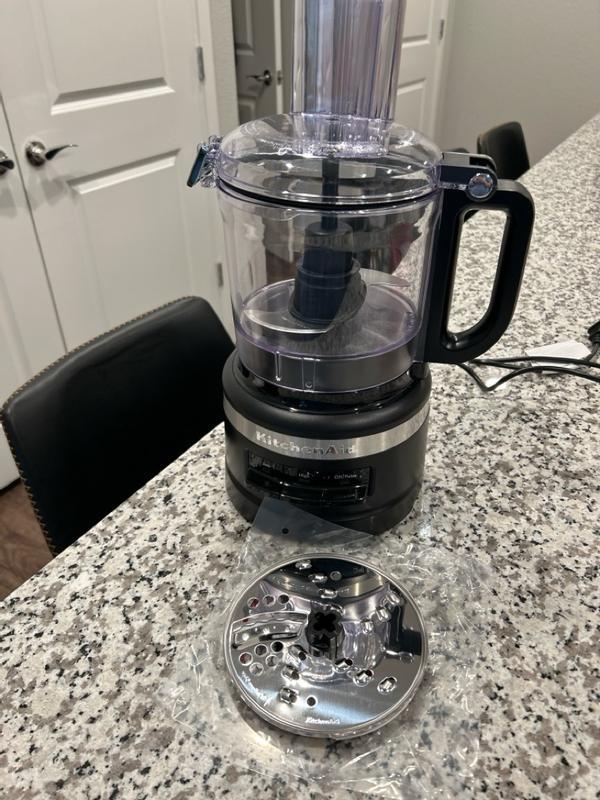
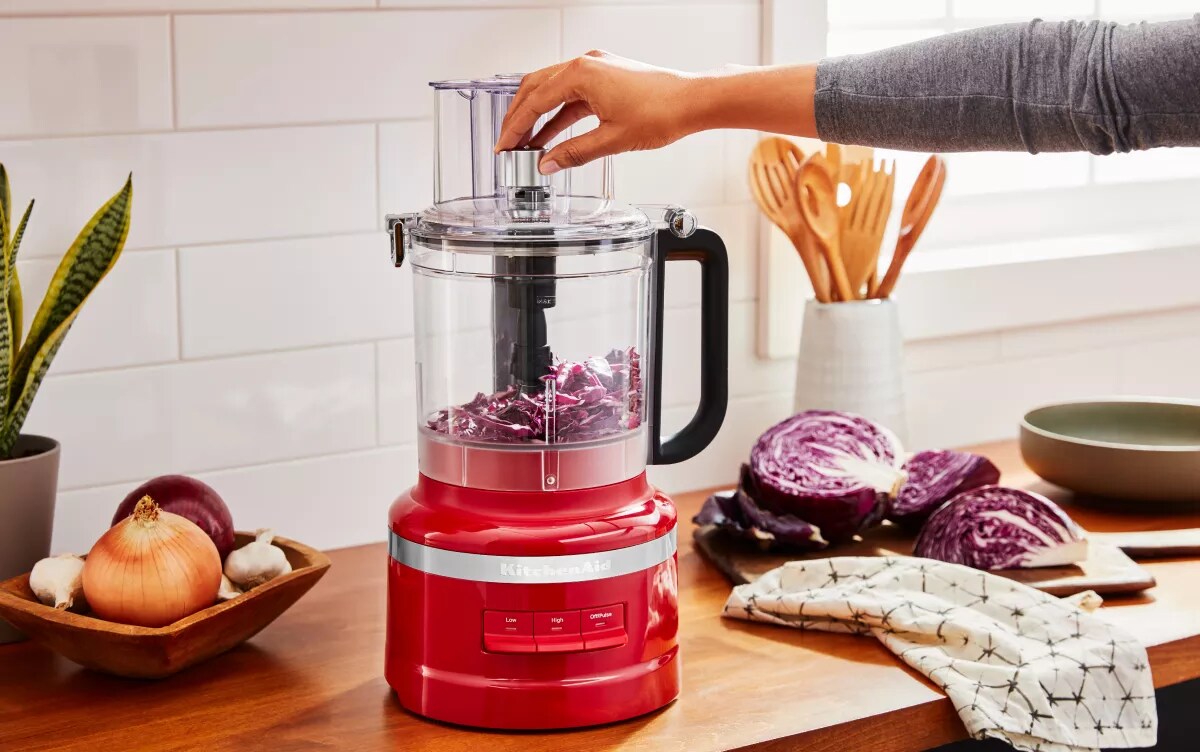
Getting To Know Your Food Processor
Understanding your Kitchen Aid food processor helps you use it safely and effectively. It has different parts designed for specific tasks. Knowing each part lets you prepare food faster and easier. This section breaks down the main components, safety features, and control panel basics.
Main Components
- Bowl:The large container where you place ingredients.
- Lid:Covers the bowl and locks in place during use.
- Blade:Sharp tool used for chopping, slicing, or mixing.
- Base:The heavy bottom part that holds the motor.
- Feed Tube:A small opening on the lid to add food while running.
Safety Features
- Locking Lid:The processor won’t start unless the lid is securely locked.
- Bowl Lock:The bowl must be correctly placed and locked for operation.
- Overload Protection:Prevents motor damage by stopping if overloaded.
- Non-slip Base:Keeps the processor stable during use.
Control Panel Basics
- Power Button:Turns the food processor on or off.
- Speed Settings:Usually includes low, high, and pulse options.
- Pulse Button:Runs the processor in short bursts for precise control.
Credit: www.youtube.com
Preparing For Use
Getting your Kitchen Aid food processor ready before use sets the stage for smooth, efficient food prep. Taking the time to properly prepare ensures safety and helps you get the best results from your machine. Let’s dive into the key steps that make your experience hassle-free and enjoyable.
Assembling The Processor
Start by placing the processor bowl securely on the base. Make sure you hear a click—this confirms it's locked in place and ready to operate. Attach the lid carefully, aligning the feed tube with the locking mechanism, so the processor won’t start unless everything is properly set.
Check that the bowl and lid are clean and dry before assembly. This prevents slipping or improper locking, which could stop your processor mid-task. If you’ve ever tried to force the lid on, you know it’s better to take a second and align everything correctly.
Choosing The Right Blade
Your Kitchen Aid food processor usually comes with multiple blades—each designed for a specific purpose. A sharp S-shaped blade is perfect for chopping and pureeing. Meanwhile, a dough blade or shredding disc is ideal for mixing or slicing.
Think about your recipe before selecting the blade. Using the wrong blade can ruin the texture or even damage ingredients. Have you noticed how a dull blade can turn fresh veggies into mush? Choosing the right blade helps maintain the integrity of your ingredients.
Prepping Ingredients
Cut ingredients into manageable pieces that fit easily into the feed tube. This prevents jams and ensures even processing. For example, large chunks of potato or carrot should be chopped into smaller sizes.
Remove any hard pits or stems that could damage the blades. Also, avoid overfilling the bowl; give your ingredients room to move around. Have you ever tried processing too much at once and ended up with uneven results? Keeping quantities moderate makes a big difference.
Operating The Processor
Using a Kitchen Aid food processor can simplify meal prep. Understanding the basics of operation enhances your cooking experience. This guide will help you navigate its key functions.
Powering On And Off
Ensure the processor is correctly assembled. Plug the power cord into an outlet. Press the power button to start. To turn off, press the power button again. Always unplug after use for safety.
Using Speed Settings
The processor usually has multiple speed settings. Low speed works for softer ingredients. High speed is ideal for tougher items. Adjust based on the texture you need.
Pulse Function Tips
Use the pulse function for more control. It chops ingredients in short bursts. Perfect for achieving specific textures. Press the pulse button in intervals. Check consistency between pulses.
Processing Techniques
Processing food with your Kitchen Aid Food Processor becomes much easier once you understand the different techniques it offers. Each technique is designed to handle specific tasks, making your prep work faster and more precise. Knowing how to use these techniques effectively can transform your cooking experience.
Chopping And Slicing
Chopping with your food processor saves time and keeps pieces uniform. Use the chopping blade for vegetables like onions, carrots, or celery to get consistent results without the hassle of manual chopping.
Slicing is perfect for cutting ingredients like cucumbers or potatoes into even slices. Adjust the thickness by switching to the slicing disc and setting it to your desired size. Ever wondered how chefs get those perfect, even slices? This is the secret.
Shredding And Grating
Shredding cheese or vegetables is effortless with the right attachment. The shredding disc quickly turns bulky items into fine pieces ready for salads or toppings.
Grating harder items like carrots or nuts works well with the grating disc. It’s much faster and cleaner than doing it by hand, and it gives you better control over the size of the grated pieces.
Mixing And Kneading
Mixing dough or batters is smooth with your food processor’s dough blade. It blends ingredients evenly, saving you from tiring hand mixing.
Kneading dough becomes less of a chore, as the processor mimics the kneading action to develop gluten properly. This means you get better texture in bread or pizza dough without extra effort.
Have you tried kneading dough by hand for hours? The food processor does it in minutes, letting you focus on other parts of your recipe.
Cleaning And Maintenance
Cleaning and maintaining your Kitchen Aid food processor keeps it working well. Proper care extends its life and keeps food safe. Regular cleaning stops smells and stains from building up. Follow simple steps to clean and store your processor safely.
Disassembling For Cleaning
Unplug the food processor before cleaning. Remove the lid, bowl, and blades carefully. Take apart any additional attachments. Handle blades with care to avoid cuts. Separate all parts to clean thoroughly.
Safe Washing Practices
- Wash all removable parts in warm, soapy water.
- Use a soft sponge to avoid scratches.
- Rinse with clean water to remove soap.
- Dry parts completely before reassembling.
- Wipe the base with a damp cloth only.
Blade Care And Storage
Dry blades fully to prevent rust. Store blades in a safe place out of reach of children. Avoid stacking blades directly on each other. Use blade covers or a dedicated container for storage. Check blades regularly for dullness and replace if needed.
Credit: www.kitchenaid.com
Troubleshooting Common Issues
Operating a Kitchen Aid Food Processor is usually simple, but small issues can occur. Knowing how to solve common problems saves time and frustration. This section helps you fix usual troubles fast. Keep your processor working smoothly.
Processor Won't Start
Check if the food processor is properly plugged in. Ensure the bowl and lid are locked in place; safety locks stop the motor from running. Press the start button firmly. Examine the power outlet by plugging in another device. If the processor still won't start, the motor or switch might need professional service.
Uneven Processing
Uneven chopping or blending often happens when the bowl is overloaded. Avoid filling the bowl beyond its capacity. Pause the processor and stir the food for even results. Check if the blade is dull or damaged; a sharp blade processes food better. Wash and dry the bowl and blade before use to prevent slipping.
Blade Jamming
Blade jamming happens with hard or sticky foods. Cut large pieces into smaller chunks to ease processing. Use the pulse function to control the chopping speed. Turn off the processor and unplug it before removing jammed food. Clean the blade and bowl thoroughly to remove debris that may cause jamming.
Maximizing Efficiency
Maximizing the efficiency of your Kitchen Aid food processor saves time and effort in the kitchen. Using this powerful tool correctly helps you complete tasks faster. Understanding simple tips can improve your workflow and prevent common mistakes.
Batch Processing Tips
Process ingredients in small batches to avoid overloading the bowl. Smaller batches blend more evenly and quickly. Pause between batches to check consistency. This method ensures uniform results and protects the motor.
- Cut ingredients into similar sizes before processing.
- Fill the bowl only halfway to allow space for movement.
- Pulse instead of running continuously for better control.
Avoiding Overloads
Do not overfill the food processor. Overloading causes uneven chopping and strains the motor. Follow the maximum fill line marked on the bowl. Stop and empty the bowl if the processor slows down.
- Use the pulse function to manage tough or thick mixtures.
- Let the motor rest if it becomes hot to prevent damage.
- Never force the lid or blade to turn when blocked.
Using Accessories
Take advantage of the included accessories to expand the machine’s functions. Different blades and discs help with slicing, shredding, and kneading. Choose the correct attachment for each task to improve efficiency.
- Use the shredding disc for cheese and vegetables.
- The slicing disc works best for fruits and cucumbers.
- Dough blade mixes dough smoothly without overworking.
Credit: www.kitchenaid.com
Frequently Asked Questions
How Do I Assemble A Kitchen Aid Food Processor?
Start by attaching the bowl to the base, then lock it in place. Insert the desired blade and secure the lid. Ensure all parts click firmly before use for safe operation.
What Safety Features Does Kitchen Aid Food Processor Have?
It includes a safety lock that prevents operation if the lid or bowl isn’t properly secured. This feature ensures the processor only runs when assembled correctly, protecting users from accidents.
How Do I Clean A Kitchen Aid Food Processor?
Disassemble all removable parts and wash them with warm, soapy water. Wipe the base with a damp cloth. Avoid immersing the motor base in water to prevent damage.
Can I Use Kitchen Aid Food Processor For Dough Kneading?
Yes, it comes with a dough blade specifically designed for kneading. This blade efficiently mixes and kneads dough for bread and pizza recipes.
Conclusion
Operating a Kitchen Aid Food Processor is simple and helpful. Follow the steps carefully and use the right attachments. Always keep safety in mind while handling blades. Clean the parts after each use to keep it working well. This tool saves time and makes food prep easier.
Practice a few times to feel confident and fast. Enjoy cooking with your Kitchen Aid Food Processor every day.