

Is your Kitchen Aid dishwasher locked, leaving you stuck and frustrated? You’re not alone.
When your dishwasher won’t unlock, it can throw off your entire routine. But don’t worry—unlocking it is easier than you think. In this guide, you’ll discover simple, step-by-step solutions to get your dishwasher open quickly and safely. Keep reading, and you’ll have your kitchen back to normal in no time.

Credit: www.manua.ls
Common Reasons For Locking
KitchenAid dishwashers lock for several practical reasons that help protect your appliance and ensure safe operation. Understanding why your dishwasher locks can save you time and avoid unnecessary frustration. Let’s look at the most common reasons behind these locks.
Child Lock Feature
The child lock is a safety measure designed to prevent little hands from interrupting the dishwasher cycle. It disables the control panel buttons, so no settings can be changed accidentally.
If your dishwasher won’t respond, check if the child lock is active. You can usually turn it off by pressing and holding a specific button or combination of buttons—refer to your manual for exact instructions.
Control Panel Lock
Sometimes the control panel locks to avoid unintended changes during a wash cycle or if the panel senses a fault. This lock is different from the child lock and is often triggered by a long press on certain buttons.
If you find your dishwasher unresponsive, try holding the "Start/Reset" button for several seconds. This action often resets the panel and clears the lock.
Error Codes
Dishwashers lock themselves when they detect an error to prevent damage or flooding. Common error codes include issues with water supply, drainage, or door latch problems.
When you see an error code displayed, look it up in your user manual or online. Clearing the error often requires fixing the underlying problem, such as clearing a clogged filter or ensuring the door is fully closed.
Credit: www.youtube.com
Resetting The Dishwasher
Resetting the Kitchen Aid dishwasher can solve many common issues. It clears errors and restores normal function. This process helps if the dishwasher is locked or not responding. Two simple reset methods often fix the problem quickly. Both methods require only a few easy actions.
Power Cycle Method
Unplug the dishwasher from the power source. Wait for at least 5 minutes to let it fully power down. Plug the dishwasher back in and press the start button. This action can clear minor electronic glitches. The dishwasher should unlock and work normally after this.
Control Panel Reset
Locate the control panel on your dishwasher door. Press and hold the "Heated Dry" and "Normal Wash" buttons together. Keep holding these buttons for about 5 seconds. Release the buttons once the display resets or beeps. This reset refreshes the control system and clears locks.
Disabling Child Lock
Press and hold the child lock button on your Kitchen Aid dishwasher for a few seconds. The control panel lights will turn off, showing the lock is disabled. This allows you to use the dishwasher normally again.
Disabling the child lock on a KitchenAid dishwasher can seem tricky. This feature is designed to keep children from tampering with the controls. But it can be inconvenient for adults. Understanding how to disable it can make your dishwasher easier to use. Let's explore how to do this effectively.
Button Combinations
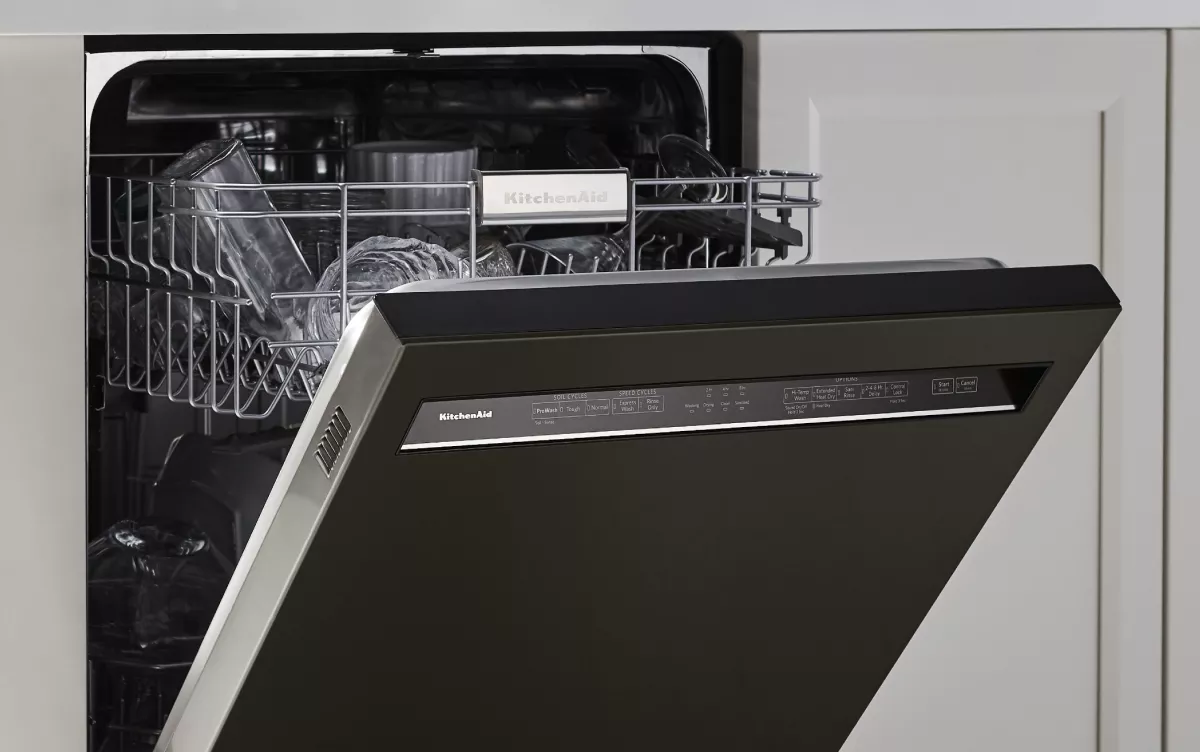
Disabling child lock often requires pressing a series of buttons. Check your dishwasher's control panel. Look for a button labeled "Control Lock" or "Lock." Press and hold this button for about three seconds. You might also need to press a combination of buttons. This can vary depending on the model. Refer to your user manual for specific instructions.
Indicator Lights
Indicator lights can show if the child lock is active. Look for a small padlock icon on the control panel. This light will turn off once the lock is disabled. If the light is still on, the lock might still be active. Try the button combination again. It's important to ensure the lock is fully disabled for proper use.
Credit: www.kitchenaid.com
Troubleshooting Control Panel Issues
The control panel is the main interface to operate your Kitchen Aid dishwasher. Sometimes, it may stop responding or show errors. Troubleshooting these issues helps restore normal function quickly. Small problems with buttons or display often cause control panel failures.
Check the control panel carefully before calling for repairs. Many issues can be fixed with simple steps. Understanding common problems saves time and effort.
Inspecting Buttons And Display
Look closely at each button on the control panel. Dirt or grease can block button presses. Press every button gently to see if any feel stuck or unresponsive.
Examine the display screen for cracks or fading. A damaged display may not show commands or error codes. Ensure the panel is properly seated and not loose.
- Check for stuck or sticky buttons
- Look for cracks or dim areas on the display
- Ensure the control panel is firmly attached
Cleaning And Maintenance Tips
Keep the control panel clean to avoid malfunction. Use a soft, damp cloth to wipe the surface. Avoid harsh chemicals or abrasive materials that can damage buttons.
Remove any food particles or spills that might interfere with button function. Dry the panel completely before use to prevent electrical issues.
- Use mild soap and water for cleaning
- Dry the panel with a soft cloth
- Clean the buttons regularly to prevent buildup
When To Call A Technician
Knowing when to call a technician can save time and prevent damage. Some dishwasher lock problems need expert help. Trying to fix serious issues alone might cause more harm. Professionals have the right tools and knowledge for complex problems.
Persistent Lock Problems
Sometimes the dishwasher lock stays stuck no matter what you do. If the lock does not release after several attempts, the problem might be mechanical or electrical. A technician can open the dishwasher safely and fix broken parts. Persistent lock issues often need special tools and skills.
Error Code Diagnostics
Modern Kitchen Aid dishwashers show error codes when something is wrong. These codes help identify the exact problem with the lock or other parts. A technician reads the codes and knows the best fix. Ignoring error codes can lead to bigger problems later.
Frequently Asked Questions
How Do I Unlock My Kitchenaid Dishwasher Door?
To unlock your KitchenAid dishwasher door, press and hold the Lock button for 3-5 seconds. The control panel lights will turn off, indicating the door is unlocked and ready to open safely.
Why Is My Kitchenaid Dishwasher Door Stuck Locked?
A stuck dishwasher door often means the child lock or control lock is activated. Disable it by pressing and holding the Lock button until the light turns off.
Can I Unlock The Kitchenaid Dishwasher During A Cycle?
Generally, you cannot unlock the dishwasher door during a wash cycle for safety. Wait until the cycle finishes or press the Cancel button to pause and unlock.
What If The Kitchenaid Dishwasher Lock Button Is Not Working?
If the lock button is unresponsive, try resetting the dishwasher by unplugging it for a minute. If the problem persists, contact KitchenAid support for assistance.
Conclusion
Unlocking your Kitchen Aid dishwasher does not have to be hard. Follow simple steps to safely open the door. Always check the lock button or control panel first. Remember to unplug the dishwasher before trying any fixes. Take your time and be gentle to avoid damage.
With patience, your dishwasher will work smoothly again. Now, you can enjoy clean dishes without worry. Keep this guide handy for future reference. Easy and quick solutions save you time and stress.